Pilgrim Kit
This page provides comprehensive guidance for managing pilgrim kits - essential items and documentation packages provided to pilgrims before their Umrah journey.
Overview
Pilgrim kits are comprehensive packages containing essential items, documentation, and guidance materials that travel agencies provide to pilgrims before their Umrah departure. These kits ensure pilgrims are well-prepared for their spiritual journey and have all necessary items for a smooth pilgrimage experience.
What is a Pilgrim Kit?
A pilgrim kit is a carefully curated collection of items that includes:
- Essential Documentation: Travel documents, guides, and reference materials
- Religious Items: Prayer accessories and spiritual guidance materials
- Practical Items: Travel essentials and comfort items
- Information Materials: Maps, contact information, and emergency details
- Digital Resources: Mobile apps, QR codes, and online resources
Suggested Kit Components
Documentation Package
- Travel Itinerary: Complete schedule with flight details and accommodation
- Umrah Guide: Step-by-step pilgrimage procedures and rituals
- Emergency Contacts: Local representatives, embassy, and medical assistance
- Hotel Information: Check-in details, amenities, and local services
- Transportation Details: Bus schedules, pickup points, and contact numbers
Religious Items
- Prayer Mat: Lightweight, travel-friendly prayer rug
- Tasbih (Prayer Beads): For dhikr and remembrance of Allah
- Qibla Compass: To determine prayer direction
- Dua Book: Collection of prayers and supplications for Umrah
- Quran: Compact edition or digital access information
Practical Essentials
- Travel Bag Tags: Clearly marked identification for easy recognition
- Water Bottle: Reusable bottle for staying hydrated
- First Aid Kit: Basic medical supplies and medications
- Ihram Garments: Clean, properly sized white garments for men
- Modest Clothing Guidelines: Dress code information for women
Information Materials
- Makkah and Madinah Maps: Detailed layouts of holy sites
- Phrase Book: Basic Arabic phrases and their translations
- Currency Guide: Information about Saudi Riyal and exchange rates
- Weather Information: Climate conditions and recommended clothing
- Cultural Guidelines: Local customs and etiquette tips
Creating Pilgrim Kits in DooUMS
Kit Management Process
Follow these steps to create and manage pilgrim kits in the DooUMS system:
- Access Settings: Navigate to the main Settings page from your DooUMS dashboard
- Open Pilgrim Kit Management: Select the "Pilgrim Kit" tab to access kit management features
- Create New Kit: Click the "Add New" button to begin creating a new pilgrim kit template
- Configure Kit Details: Enter a descriptive name for your pilgrim kit (all items are automatically set to active status by default)
- Save Configuration: Click the save button to finalize and store your new kit template
- Return to Overview: The system will automatically redirect you back to the Pilgrim Kit tab for further management or to create additional kits
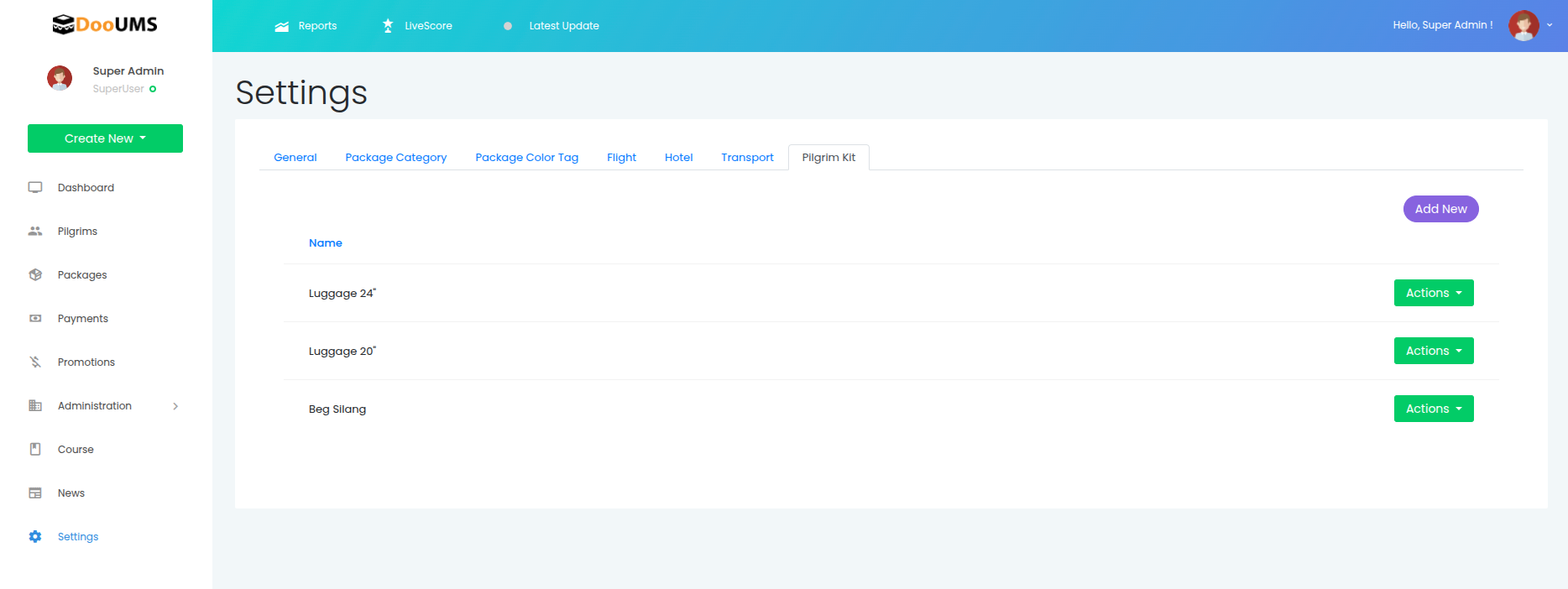 Screenshot showing the Pilgrim Kit management interface in DooUMS Settings
Assigning Pilgrim Kits to Pilgrims
Once you have created pilgrim kit templates, you can assign them to individual pilgrims in your system. This allows you to track which kits have been provided to each pilgrim and manage kit distribution effectively.
Kit Assignment Process
Follow these steps to assign pilgrim kits to existing pilgrims:
- Navigate to Pilgrims: Access the main Pilgrims section from your DooUMS dashboard
- Search for Pilgrim: Use the search functionality to locate the specific pilgrim you want to assign a kit to
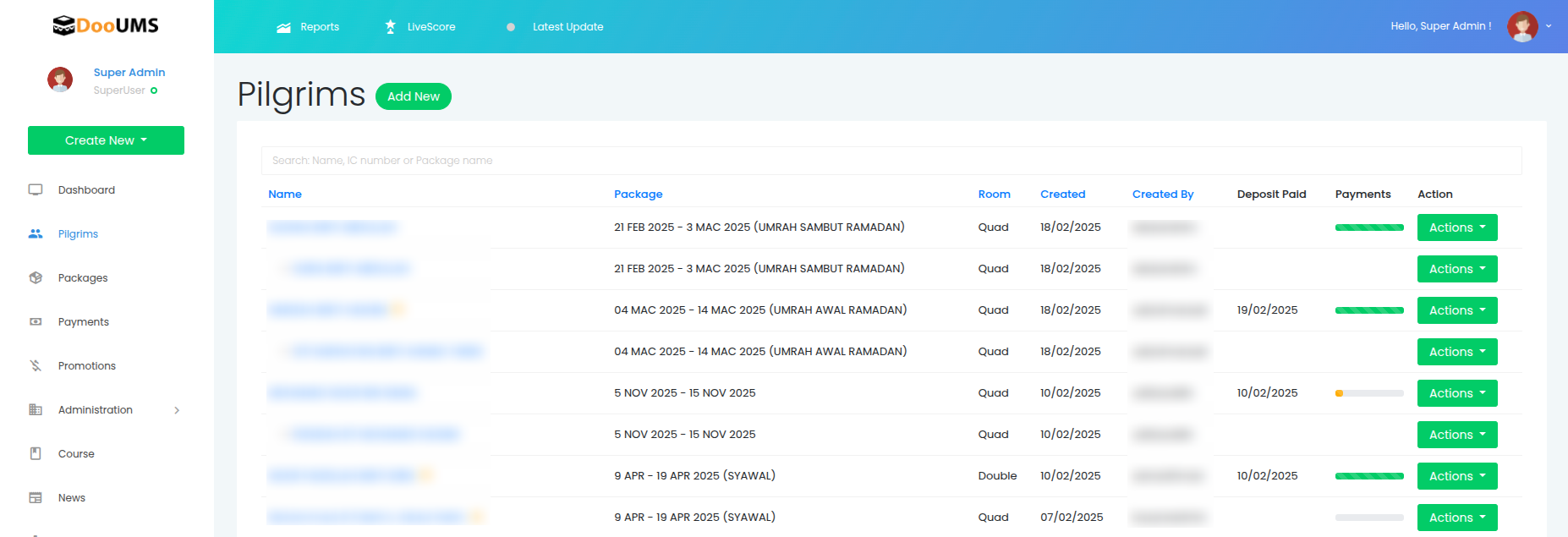 Screenshot showing the pilgrim search and listing interface
- Edit Pilgrim Record: Click the edit button or option for the selected pilgrim to access their profile
- Access Kit Assignment: Locate the "Pilgrim Kit" section within the pilgrim's edit form
- Select Kit Items: Check the appropriate boxes for each kit item that has been provided to the pilgrim
 Screenshot showing the pilgrim kit assignment checkboxes in the edit form
- Save Changes: Click the save button to record the kit assignment and update the pilgrim's record
Benefits of Kit Assignment Tracking
By assigning kits to pilgrims in the system, you can:
- Monitor Distribution: Track which pilgrims have received their kits
- Inventory Management: Keep accurate records of kit usage and remaining stock
- Communication: Send targeted reminders to pilgrims who haven't received their kits
- Reporting: Generate reports on kit distribution status across all pilgrims
- Quality Control: Ensure no pilgrim departs without their essential items