Creating Packages
Learn how to create comprehensive Umrah packages with all necessary travel components, pricing, and configurations.
Before You Start
Ensure you have the following information ready:
- Flight details and schedules
- Hotel selections for Makkah and Madinah
- Pricing structure for different room types
- Package duration and travel dates
- Target group and category classification
Step-by-Step Package Creation
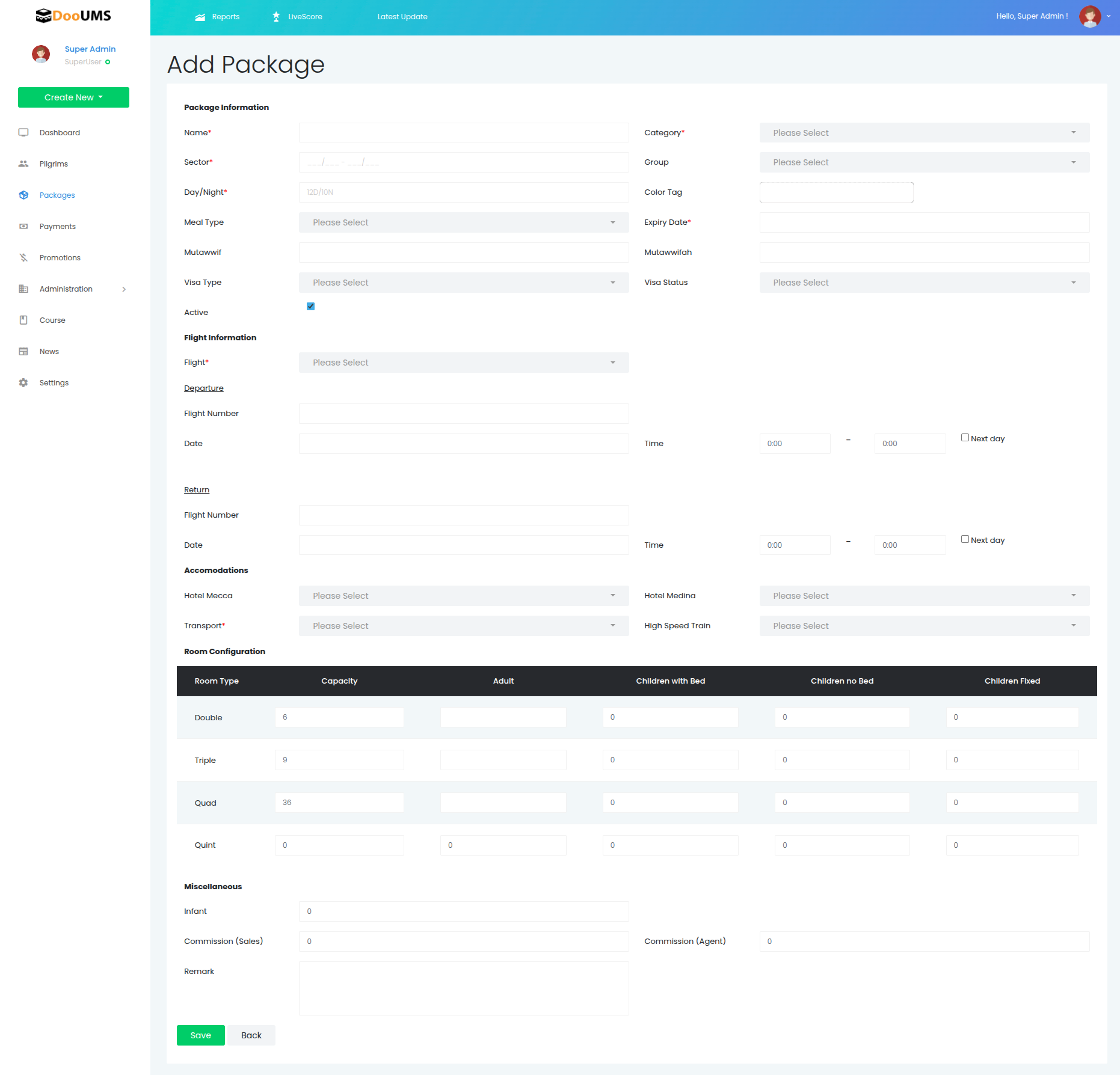
1. Accessing the Creation Form
- Navigate to the Packages section from the main menu
- Click the Add New button at the top right of the page
- The Add Package form will open with multiple configuration sections
2. Package Information
Complete the basic package details:
| Field | Description | Required |
|---|---|---|
| Name | Descriptive package name (e.g., "21 SEPT 2024 – UMRAH STANDARD") | ✅ |
| Sector | Travel sector or route | ✅ |
| Day/Night | Duration of stay (e.g., 12D/10N) | ✅ |
| Category | Package type (Standard, Premium, etc.) | ✅ |
| Group | Travel group designation | ✅ |
| Color Tag | Visual identification color | ✅ |
| Meal Type | Meal plan provided | ❌ |
| Mutawwif | Assigned male guide | ❌ |
| Mutawwifah | Assigned female guide | ❌ |
| Active | Check to activate the package | ✅ |
| Expiry Date | Last booking/availability date | ❌ |
| Visa Type/Status | Visa processing information | ❌ |
Naming Convention
Use the format: [Departure Date] – [Package Name] ([Organizer]) for consistency across all packages.
3. Flight Information
Configure travel schedules:
| Field | Description | Notes |
|---|---|---|
| Flight | Select from available flight list | Links to flight database |
| Departure | Outbound flight number, date, and time | Include full flight details |
| Return | Return flight number, date, and time | Include full flight details |
| Next Day | Check if arrival occurs next day | Important for scheduling |
4. Accommodation Setup
Select hotels and transportation:
| Field | Description | Options |
|---|---|---|
| Hotel Makkah | Primary accommodation in Makkah | From linked hotel database |
| Hotel Madinah | Primary accommodation in Madinah | From linked hotel database |
| Transport | Ground transportation method | Bus, private car, etc. |
| High Speed Train | Specify if HST is included | Makkah-Madinah route |
5. Room Configuration
Set up capacity and distribution for each room type:
Room Types and Capacity
| Room Type | Capacity Setting | Adult/Children Options |
|---|---|---|
| Double | Maximum number of double rooms | Adults, children with/without bed |
| Triple | Maximum number of triple rooms | Adults, children with/without bed |
| Quad | Maximum number of quad rooms | Adults, children with/without bed |
| Quint | Maximum number of five-person rooms | Adults, children with/without bed |
| Single | Maximum number of single rooms | Adults only |
Children Classifications
- With Bed: Children requiring separate bed space
- Without Bed: Children sharing with adults
- Fixed: Predetermined child arrangements
6. Additional Configurations
Miscellaneous Details
| Field | Description | Impact |
|---|---|---|
| Infant | Total infants allowed | Under 2 years, special considerations |
| Commission (Sales) | Sales team commission rate | Percentage or fixed amount |
| Commission (Agent) | External agent commission rate | Percentage or fixed amount |
| Remark | Internal notes and special instructions | Administrative reference |
Package Activation
Before Activation Checklist
- All required fields completed
- Flight information verified
- Hotel selections confirmed
- Room pricing configured
- Capacity limits set appropriately
- Commission rates defined
Activation Process
- Review All Information: Double-check all entered data for accuracy
- Check Active Status: Ensure the "Active" checkbox is selected
- Save Package: Click the Save button to store the package
- Verification: The package will appear in the active packages list
Important Notes
- Only activate packages after confirming all details are correct
- Activated packages become available for booking immediately
- Inactive packages remain hidden from operational access